

How to promote your blog: a checklist for every new post
To promote a blog post, make sure search engines can find it, send it to your email list, share it in the communities and social channels where your readers already spend time, turn it into smaller pieces for other formats, tell the people you mentioned, and link to it from your older posts. Do this as a repeatable checklist every time you publish, not as a one-off burst.
This guide gives you a promotion routine you can run for every post, with a checklist for each channel and the mistakes that waste the most time.
Last updated: 7 November 2026
Why doesn’t a good blog post get readers on its own?
Publishing puts a post on the web, not in front of anyone. Search engines need time to discover and rank a new page.
Google says this directly in its SEO Starter Guide: promoting new content leads to faster discovery, both by people interested in the subject and by search engines. It lists social media, community engagement, advertising and word of mouth as ways to do it, and calls word of mouth one of the most effective and lasting, while noting that it usually takes time and effort in other areas (such as community work) first.
The same guide also warns that you can overdo it: people get tired of constant promotion, and search engines may treat some practices as manipulation. So the goal is steady, useful promotion, not volume.
This post covers what to do with each post after you hit publish. If you are still deciding what your site should look like before you get there, start with our guide on how to start a blog. If your question is the bigger picture (which channels to invest in and how to measure growth across the whole site), read our guide on how to increase website traffic.
What should you check before you promote a post?
Promotion sends people to the page, so the page has to be ready for them. Spend ten minutes on this before you share anything.
Pre-promotion checklist
- The title says what the post answers. Someone scrolling past it in a feed or an inbox should know what they get by clicking.
- The first two sentences answer the question. Visitors from social and email are impatient. Give them the answer early, then the detail.
- The post works on a phone. Open it on your own phone. Check that tables, images and code blocks don’t break the layout.
- There is a clear next step. A link to a related post, an email signup form, or both. A visitor who arrives from a share and leaves after one page is a missed chance.
- The page loads properly when shared. Paste the link into a private message to yourself and check the preview title, description and image look right.
- Links work. Click every link once.
If you write the post for search from the start, most of this is already done. Our guide on SEO tips for bloggers covers how to shape a post around a search question.
How do you make sure Google can find a new post?
Search is usually the channel that keeps sending readers long after the social shares have stopped. Your job on publishing day is not to rank the post (you can’t force that) but to remove anything that stops Google from finding and understanding it.
Search checklist for each new post
- Confirm the post is public and indexable. Check it is published, not scheduled or private, and that your SEO plugin hasn’t set it to “noindex”.
- Check your sitemap includes it. WordPress generates a sitemap by default, and SEO plugins can replace it with their own. Open the sitemap and look for the new URL.
- Link to it from at least one older post. Google’s documentation on crawlable links says every page you care about should have a link from at least one other page on your site. More on this below.
- Inspect the URL in Search Console. The URL Inspection tool shows whether Google has indexed the page, lets you test the live version, and lets you request indexing. Requesting indexing asks Google to crawl the page; it does not guarantee it will be indexed or ranked.
If you want the full detail on getting a page indexed, including what to do when it isn’t, read our guide on how to get Google to index a new page. The honest version: there is no guaranteed time, but a page that is linked, in the sitemap and inspected is in the best position.
How do you use an email list to promote blog posts?
An email list is the one audience you own. Social platforms change what they show people; search rankings move. The people on your list asked to hear from you, and you can reach them whenever you publish.
How do you start a list if you have no subscribers?
Everyone starts at zero. Add a simple signup form to the end of every post and to your sidebar or footer, then tell people exactly what they will get (“one new guide every two weeks, nothing else”). Readers who reach the end of a useful post are your most likely subscribers.
On WordPress, a newsletter plugin can collect signups and send emails from inside your dashboard. For example, MailPoet’s listing on wordpress.org describes managing subscribers in WordPress, building newsletters, and sending automatic new-post notifications. When checked on 7 November 2026, the MailPoet plugin showed 500,000+ active installations, was last updated on 5 November 2026 (version 5.45.1) and was tested up to WordPress 7.1.4. Dedicated email services work too; pick one that lets your readers unsubscribe easily and lets you export your list if you ever switch.
If you are not sure how to install a plugin, our guide on how to install a WordPress plugin walks through the three ways.
What should a new-post email look like?
- Subject line: the problem the post solves, in plain words. “How to back up WordPress before an update” beats “New post!”
- First line: one sentence on why this matters to the reader.
- Body: two or three short points from the post, or the single most useful tip, then a link to read the rest.
- One link, one ask. Don’t send readers in five directions.
- A reason to reply. Ending with a question (“What tripped you up when you first did this?”) starts conversations, and replies often turn into your next post ideas.
Automatic new-post emails are easy; a short hand-written email gives more context. A practical middle ground: automate routine posts and write a proper email for your most important guides.
One more owned channel: WordPress comes with built-in RSS feeds by default, according to the WordPress feeds documentation. Some readers still follow blogs through feed readers, so make sure your theme shows a feed link or that the feed isn’t disabled.
How do you promote a blog post in online communities?
Communities (forums, subreddits, Slack and Discord groups, Facebook groups, Q&A sites, LinkedIn groups) are where people ask the exact questions your posts answer. They are also where blatant self-promotion gets you ignored or banned fastest.
How do you find the right communities?
- Search the topic of your post plus “forum”, “community” or “group”.
- Look at where people in your niche link to and talk about when they share their own work.
- Check which communities already send you visitors (your analytics referral sources show this).
- Prefer smaller, focused communities over huge general ones.
Community rules of thumb
- Read the rules first. Many communities restrict or ban links to your own site, or only allow them in a weekly thread. Follow them exactly.
- Be a member before you are a promoter. Answer questions and join discussions for a while with no links at all.
- Answer in the thread, then link for detail. When someone asks a question your post covers, write a genuinely useful answer right there. Add your link only as “I wrote a longer step-by-step guide here if it helps.”
- Say it’s yours. “I wrote this” is honest and usually received better than pretending to be a neutral fan.
- Don’t drop the same link in ten places on the same day. That pattern looks like spam to people and to moderators.
For example, a gardening blogger with a guide to container tomatoes could answer “why are my container tomatoes splitting?” properly in the thread, linking to the guide’s watering section only where it adds something.
How should you share blog posts on social media?
Social media works best when each post is native to the platform, not a bare link with “new post” next to it. Pick one or two platforms where your readers actually are, rather than spreading thin across all of them.
Social sharing checklist
- Lead with the takeaway, not the link. Write the post so it is useful even if nobody clicks: the main tip, a short list or a surprising detail from your article.
- Write for each platform. A short, direct post on X, a longer reflective post on LinkedIn, a visual on Pinterest or Instagram. Same idea, different packaging.
- Share more than once. Share on publishing day, then again a few weeks later with a different angle (a different tip from the same post, a question, a quote).
- Reply to every comment. Early conversation is part of what makes a post worth showing to more people.
- Tag only people who are genuinely relevant. Tagging a well-known person who has nothing to do with the post is a fast way to be ignored.
If you are building an audience around your own name, our guide on how to build a personal brand covers choosing platforms, a posting cadence you can keep up, and how to turn one blog post into several social posts.
How do you repurpose one blog post into more content?
Repurposing means taking the work you already did on a post and presenting it in other formats for people who prefer them. One solid guide can feed several weeks of promotion.
Ways to repurpose a single post
- A short thread or carousel of the main steps.
- A checklist pulled from the post, shared as an image or as a downloadable page for email subscribers.
- A short video walking through one step on screen.
- A newsletter issue that adds one extra detail not in the post.
- An answer on a Q&A site or forum that uses one section of the post.
- A slide deck or talk for a local meetup or online event.
- Quotes or single tips scheduled over the following month.
Each piece should stand on its own and link back to the full post where that makes sense.
How do you do blogger outreach without spamming people?
Outreach means personally telling a small number of people about a post because it is genuinely relevant to them. Done well, it builds relationships that pay off for years. Done badly, it is cold spam with a link in it.
Who should you contact?
- People you mentioned or quoted. If you cited someone’s work or recommended their tool, tell them. This is the easiest, most natural outreach there is.
- People who wrote about the same problem. Not to ask for a link, but because your post adds something to a conversation they started.
- Newsletter writers and curators in your niche who regularly share useful resources.
- People who asked the question. If someone asked publicly about exactly the thing you just explained, a short reply with the link is helpful, not pushy.
What a good outreach message looks like
- Short: three or four sentences.
- Specific: say exactly why you are writing to them, not to anyone.
- No demand: “thought you might find this useful” rather than “please share” or “please link to me”.
- No follow-up chains. One polite follow-up at most, then let it go.
What outreach should you avoid?
Don’t offer money, free products or link swaps in exchange for links that pass ranking credit. Google’s spam policies list these as link spam, including exchanging money, goods or services for links, excessive “link to me and I’ll link to you” exchanges, automated link building, and forum comments stuffed with optimized links. Paid and sponsored links are fine for advertising, as long as they are marked with rel="sponsored" or rel="nofollow". Our guide on dofollow and nofollow links explains these attributes.
Guest posting is still a legitimate way to reach a new audience if you write for a site because its readers would benefit, not to plant keyword-rich links. Writing for other publications is also a skill in its own right; if you enjoy it, our guide on how to become a ghostwriter covers turning that into paid work.
How do internal links help promote your blog posts?
Internal links are links from one page on your site to another. They are the cheapest promotion you have: your older posts already get visitors, and a link from them sends some of those visitors (and search engine crawlers) to your new post.
Internal linking checklist for every new post
- Find two to five older posts on related topics. On WordPress, search your own posts in the dashboard, or search Google for
site:yourdomain.com topic. - Add a link from each one to the new post, inside a sentence where it genuinely helps the reader.
- Use descriptive anchor text. Google’s guidance on links says anchor text should be descriptive, concise and relevant, and that paying attention to the anchor text of internal links helps people and Google understand your site. “Our guide to backing up WordPress” is better than “click here”.
- Link out from the new post too. Point readers to your related older guides so the new post isn’t a dead end.
- Update your hub pages. If you have a “start here” page or a category page with an intro, add the new post there.
For example, after publishing a post about choosing a backup plugin, a WordPress blogger could add a link to it from their WordPress setup guide, their plugin roundup and their post on updating WordPress safely. Our own WordPress blog setup guide and essential WordPress plugins list link to each other in exactly this way.
What does a complete blog promotion checklist look like?
Here is the whole routine in one place. Copy it into your notes and tick it off for every post.
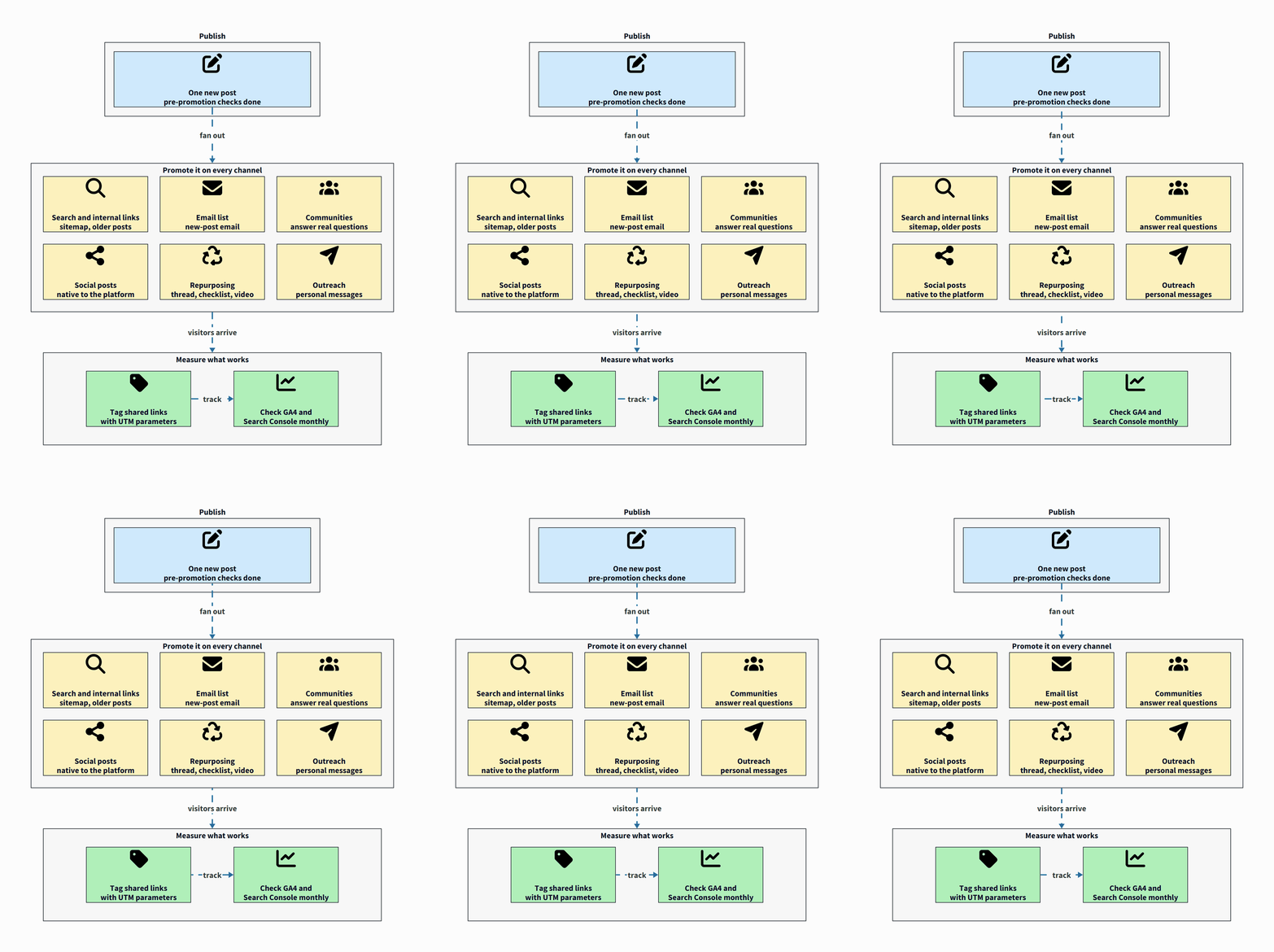
On publishing day
- Pre-promotion checks done (title, opening, mobile, next step, link preview).
- Post is indexable and appears in the sitemap.
- URL inspected in Search Console, indexing requested if needed.
- Linked from two to five related older posts.
- Email sent to your list (or automatic notification confirmed).
- Shared natively on your one or two main social platforms.
- People mentioned in the post told about it.
In the first two weeks
- Answered two or three relevant community questions, linking only where it helps.
- Created at least one repurposed piece (thread, checklist, short video).
- Replied to every comment on the post and on social shares.
- Sent a small number of personal outreach messages to people the post is genuinely useful for.
After a month or two
- Shared the post again with a new angle.
- Checked the search queries it appears for, and updated it to answer them better.
How do you know which promotion is working?
Track where visitors come from so you can drop what doesn’t work. Two simple habits help:
- Tag your links. Add UTM parameters to links you share in emails and social posts so Google Analytics can tell them apart. Google’s guide to campaign URL parameters explains
utm_source,utm_mediumandutm_campaign, and recommends a strict, case-sensitive naming convention. For example:?utm_source=newsletter&utm_medium=email&utm_campaign=backup-guide. - Look at the numbers monthly, not daily. Search traffic takes weeks to settle.
Our post on how to increase website traffic explains how to read each channel in Google Search Console and GA4 and how to decide where to put your effort.
What blog promotion mistakes should you avoid?
- Promoting once and stopping. One share reaches only the people online that hour.
- Posting bare links. “New post: [link]” gives nobody a reason to click.
- Being on every platform badly. Two channels done well beat six done in a rush.
- Buying links or joining link schemes. It breaks Google’s spam policies.
- Skipping internal links and the email list. They are the two channels you fully control.
- Promoting weak posts. Promotion multiplies what is already there. Fix the post first.
For more on what slows new blogs down, see our blogging tips for beginners and the most common SEO mistakes bloggers make.
Frequently asked questions
How long should you promote a blog post?
Treat promotion as ongoing. Do the main push in the first two weeks, then share the post again with a new angle every month or two for as long as it stays accurate and useful.
Can you promote a blog for free?
Yes. Search, internal links, communities, social media, repurposing and personal outreach cost time, not money. A newsletter can also start free on WordPress with a plugin, though email services charge as your list grows.
Is it OK to share your own blog posts on Reddit or in forums?
Only if the community’s rules allow it, and usually only after you have taken part without links. Answer the question in the thread first and add your link as optional extra detail.
Should you request indexing for every new post?
It does no harm for important posts, but it is not required. Google can find new posts through your sitemap and internal links. Requesting indexing asks for a crawl; it doesn’t guarantee indexing or rankings.
Which promotion channel is best for a new blog?
There is no single best channel. For most new blogs, an email list plus one community and one social platform where your readers already gather is a realistic start, with search traffic building over time.